

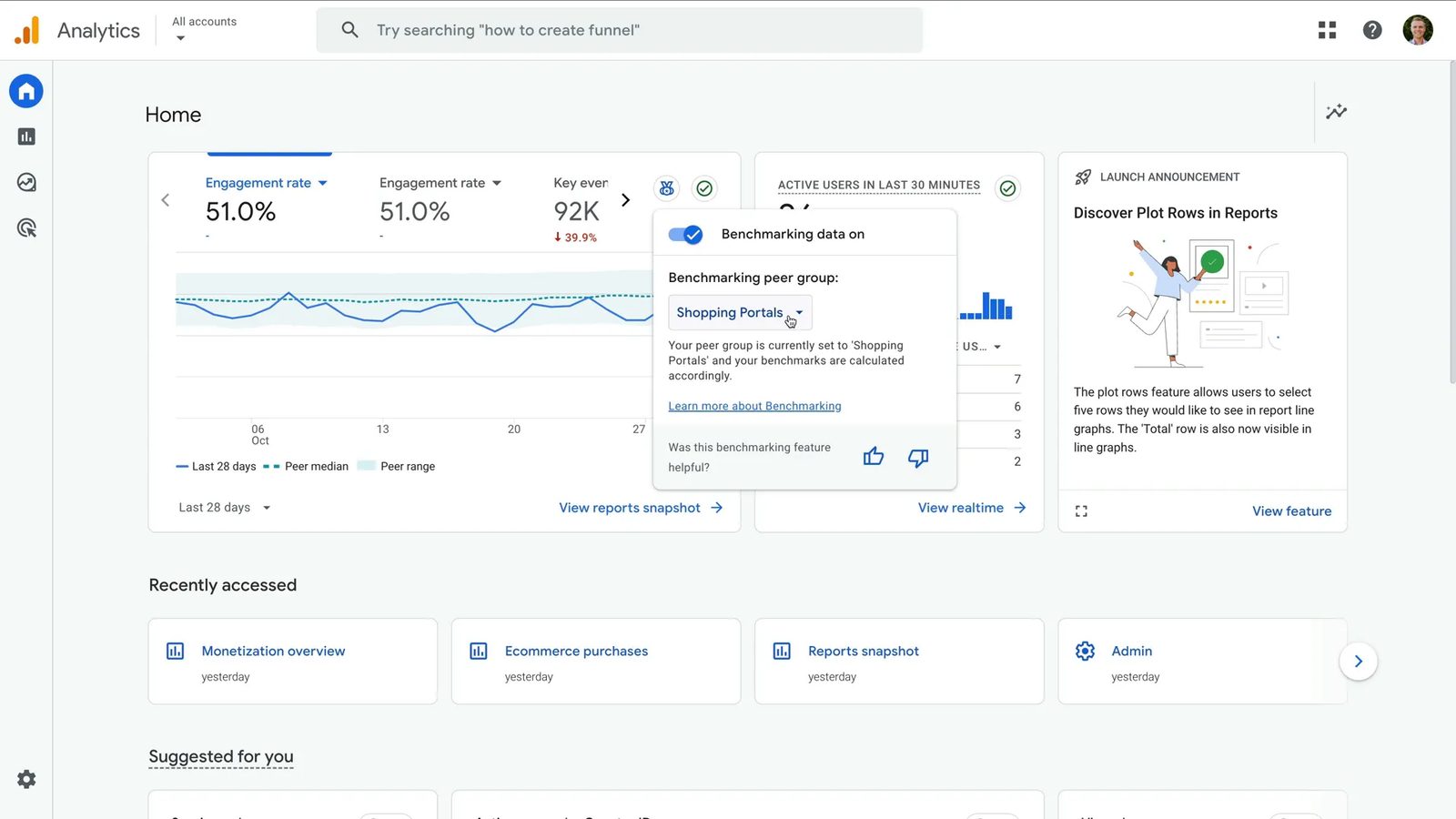
Google analytics benchmarking is changing the way businesses evaluate website performance in the digital marketplace. Instead of relying only on internal metrics, companies can compare their results against businesses operating in similar industries and markets. This additional context helps marketing teams understand whether their numbers reflect strong performance or reveal opportunities for improvement.
Modern businesses need data that supports smarter decisions rather than simple reporting. Google analytics benchmarking provides a practical way to identify trends, measure competitiveness, and improve long-term strategies. By comparing engagement, acquisition, and retention data with industry standards, organizations can create more realistic goals and improve campaign effectiveness.
Understanding How Benchmarking Works in GA4
The benchmarking feature in GA4 uses anonymous and aggregated data gathered from organizations that participate in Google’s data-sharing programs. The system groups businesses into industry categories and compares their performance while protecting privacy and confidentiality. This approach allows users to gain valuable insights without exposing sensitive information from participating companies.
Google analytics benchmarking focuses on categories such as traffic acquisition, user engagement, monetization, and customer retention. Businesses can compare their results with median values and benchmark ranges that represent industry averages. These comparisons make it easier to understand whether a website performs above or below expected standards within a specific market segment.
Key Metrics Included in Benchmark Reports
One of the most valuable parts of benchmarking is access to engagement metrics that reveal how visitors interact with content. Metrics such as engagement rate, average engagement time, and key event completion rates help organizations evaluate whether users find their websites useful and relevant. These numbers provide a clearer understanding of visitor behavior.
Acquisition metrics also play an important role in evaluating digital marketing success. Businesses can compare traffic sources, advertising performance, and channel effectiveness against industry averages. Google analytics benchmarking helps marketers identify channels that perform exceptionally well while highlighting areas that require optimization or additional investment.
How to Enable Google Analytics Benchmarking
Enabling benchmarking inside GA4 is a straightforward process that begins in the account settings area. Users must activate options related to modeling contributions and business insights to participate in Google’s benchmark reporting system. Once enabled, the account becomes eligible to receive industry comparisons based on available benchmark data.
After activation, businesses should understand that benchmark reports may not appear immediately. Google requires enough information to generate meaningful comparisons between organizations operating in similar industries. Websites with stable traffic volumes often begin receiving benchmark insights after the platform processes sufficient historical performance data.
Benefits of Using Benchmark Data for Business Growth
Businesses that regularly review benchmark reports gain a clearer understanding of their competitive position within the market. Instead of making decisions based on assumptions, teams can use real industry comparisons to set realistic objectives and prioritize improvement efforts. This often leads to better marketing investments and stronger campaign outcomes.
Google analytics benchmarking also supports strategic planning by identifying hidden opportunities for growth. If a website performs below industry averages in engagement or retention, teams can investigate possible causes and implement corrective measures. Organizations that react quickly to these insights often improve results faster than competitors.
Choosing the Right Industry Category
Selecting the correct industry category is essential for generating meaningful benchmark comparisons. A broad category may group businesses with very different customer behaviors and business models, creating misleading results. Choosing a specific niche improves accuracy and ensures that comparisons reflect realistic market conditions.
Companies operating in specialized industries should review their category settings regularly as their products or services evolve. Google analytics benchmarking works best when organizations compare themselves with businesses that share similar audiences, marketing channels, and purchasing behaviors. Accurate categories produce more valuable and actionable insights.
Common Benchmarking Challenges and Solutions
Some businesses become concerned when benchmark reports fail to appear after enabling the feature. In most cases, the issue results from insufficient traffic data, incomplete account settings, or limited participation within a specific industry category. Reviewing configuration settings usually resolves these problems without requiring additional technical support.
Another common challenge involves comparing results with organizations that operate under completely different conditions. Seasonal businesses, local companies, and global brands often experience unique traffic patterns that influence benchmark comparisons. Understanding these differences helps users interpret data more accurately and avoid misleading conclusions.
Best Practices for Using Benchmark Reports
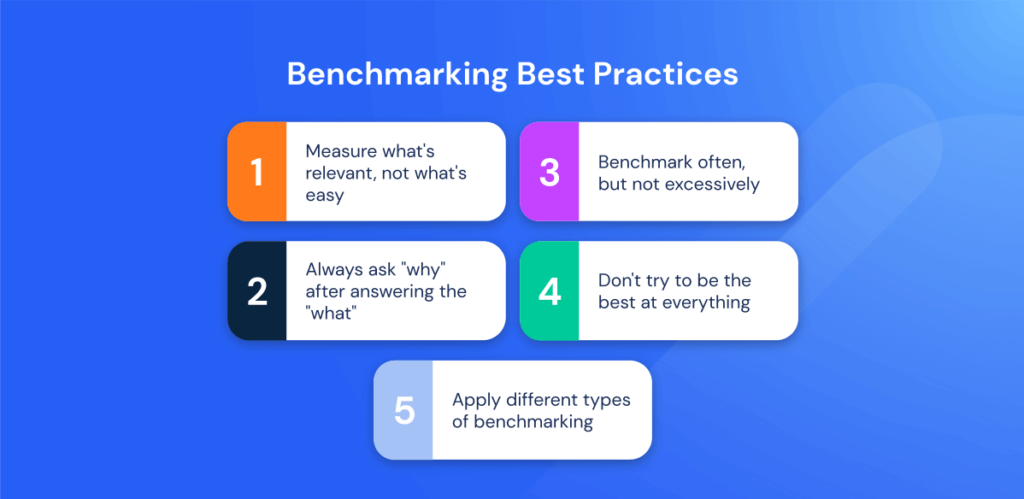
Organizations should focus on long-term trends rather than short-term fluctuations when reviewing benchmark data. Daily changes often reflect temporary conditions rather than meaningful shifts in performance. Monthly and quarterly comparisons usually provide stronger insights into marketing effectiveness and customer behavior patterns.
Google analytics benchmarking becomes more powerful when combined with conversion tracking and customer journey analysis. Businesses that connect benchmark data with internal goals gain a more complete understanding of performance drivers. This integrated approach supports smarter decision-making and stronger return on marketing investment.
The Future of Benchmarking in Digital Analytics
Artificial intelligence is expected to transform benchmarking capabilities over the next several years. Future analytics platforms will likely provide predictive recommendations, automated optimization suggestions, and more personalized comparisons tailored to individual industries and business models. These innovations will make analytics even more accessible to organizations of all sizes.
As digital competition continues to increase, benchmarking will become an essential component of every analytics strategy. Businesses that embrace these tools today position themselves for stronger growth opportunities tomorrow. Companies that understand industry expectations are better prepared to adapt to changing customer behavior and market conditions.
Conclusion
Google analytics benchmarking gives organizations the ability to evaluate performance with greater context and accuracy than traditional reporting methods alone. Comparing metrics against industry averages helps businesses identify strengths, discover weaknesses, and make informed decisions based on real-world performance standards rather than assumptions.
As GA4 continues to evolve, benchmarking will become an increasingly important resource for marketers, analysts, and business leaders. Organizations that consistently monitor benchmark data can improve customer experiences, optimize campaigns, and maintain a competitive advantage in an increasingly crowded digital marketplace.
Frequently Asked Questions
What is google analytics benchmarking?
Google analytics benchmarking is a GA4 feature that compares your website’s performance with aggregated and anonymous data from similar businesses within your industry.
Is benchmarking available in GA4?
Yes, benchmarking is available in GA4 for eligible accounts that enable the required data-sharing and business insight settings.
How long does benchmark data take to appear?
Benchmark information may take several days or weeks to appear depending on traffic volume and participation within your industry category.
What metrics are included in benchmark reports?
Common benchmark metrics include engagement rate, acquisition performance, monetization data, retention metrics, and key event completion rates.
Can small businesses benefit from benchmarking?
Yes, small businesses can use benchmark comparisons to identify opportunities, improve strategies, and measure growth against similar organizations.
You May Also Read: Triad Ride List